

Notary Public Underwriters Blog
Best Apps for Notary Signing Agents: Smartphone Security & Productivity Guide
- Details
- Published: October 26, 2026
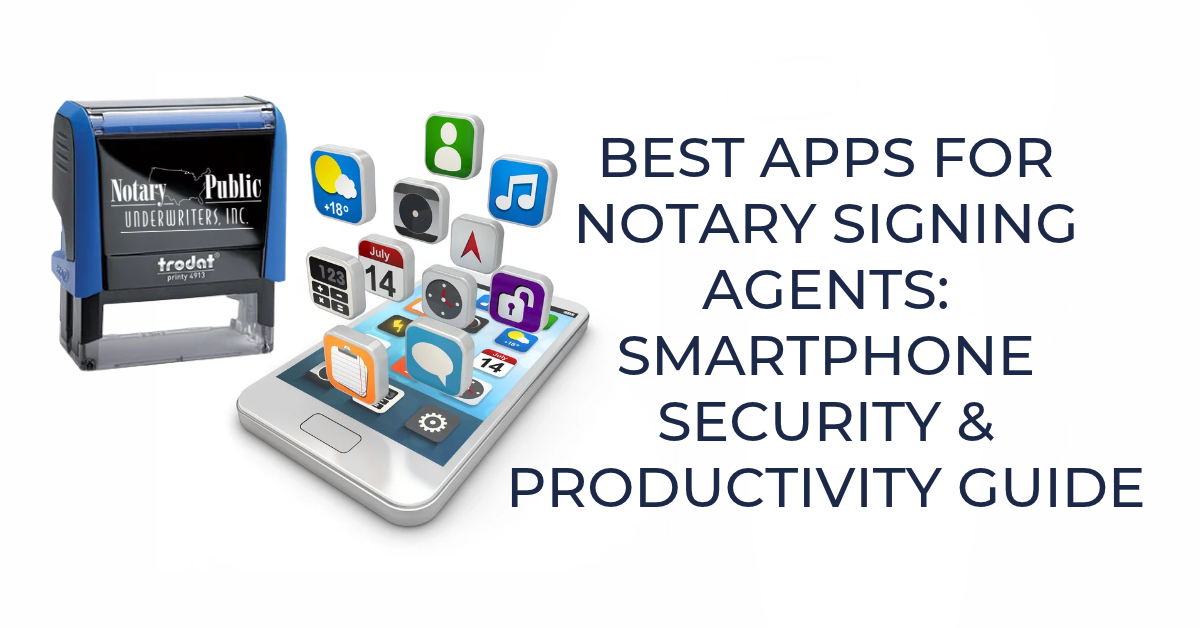
Simply put, notary signing agents (NSAs) rely on their cell phones to interact with borrowers, arrange documents and set up appointments. This guide covers the essential smartphone security apps and productivity tools that every signing agent should have on their phone, along with safe app downloading practices and update habits that keep client information safe.
Why Smartphone Apps Matter for Notary Signing Agents
A notary signing agent’s smartphone is indispensable to the job. It’s the primary tool for coordinating loan signings, emailing borrowers and managing schedules. The right apps make that smartphone more secure and more productive, which is important both for protecting sensitive borrower information and running an efficient signing business.
This guide breaks down two categories every NSA should concentrate on:
- Security apps — to protect borrower communications and data
- Productivity apps — to manage scheduling, contacts, courier drop-offs, and documents
Security Apps for Notary Signing Agents
Because notary signing agents are using smartphones to talk with borrowers and signing services and email them, that device needs malware protection.
How to Find Security Apps
Search "smartphone security apps," and refine by operating system for more specific results — for example, "security apps for Android" or "security apps for iPhone."
Commonly recommended security apps include:
- Bitdefender
- Norton
- Avast
- McAfee
Most providers charge a nominal annual fee. In general, these apps:
- Identify and block malicious attacks
- Detect and remove viruses, trojans, worms, and other malware
Note: Notary Public Underwriters does not receive any commission or benefit from mentioning these or any other app providers. Mentions are for informational purposes only.
Productivity Apps for Signing Agents
A signing agent's smartphone doubles as a mobile office — managing schedules, storing contacts, and providing information on the go.
Calendar Apps
Most smartphones have a built-in calendar app that allows you to create appointments and set reminders. For more scheduling power, you can download additional calendar apps with more advanced features.
Contact Management Apps
Smartphones also include a default contact app, which most people fill with personal contacts.
Tip for Signing Agents: Consider downloading a separate contact management app used exclusively for signing agent work contacts. This way you keep business contacts separate from personal contacts.
Courier Apps: FedEx and UPS
Signing agents are typically required to return the signed loan documents on the same day. The two dominant courier companies, FedEx and UPS, both offer feature-rich mobile apps that allow you:
- Find the nearest drop-off location
- Create mailing labels
- Track a package in real time
To-Do List and Document Apps
- Todoist — This one comes up again and again as a favorite among to-do list apps, and for good reason. It syncs across all your devices, lets you break tasks into subtasks, and even tracks your productivity over time.
- Google Docs — If you're on Android, this is probably already on your phone. iPhone users can grab it too.
- Zoho Office Suite (Writer, Sheet, Show) — A solid, full-featured office suite that works on both Android and iPhone.
- Microsoft 365 — Combines Word, Excel, and PowerPoint in a single mobile app.
Worth knowing: back in January 2025, Microsoft rebranded the mobile hub from "Microsoft Office" to "Microsoft 365 Copilot" to highlight its new AI features. Don't let the name change throw you — Word, Excel, and PowerPoint still work exactly the way you're used to. - Apple iWork (Pages, Numbers, Keynote) — Pages covers word processing, Numbers handles spreadsheets, and Keynote takes care of presentations. As of early 2026, all three are still free. Apple did roll out some AI-powered extras (templates, image tools) under a paid Creator Studio subscription, but the core apps you'd actually use day-to-day haven't changed.
How to Download Apps Safely
Stick to your phone's official app store — Google Play if you're on Android, the Apple App Store if you're on iOS. These platforms vet apps for safety and legitimacy before they go live, so you're starting from a safer place. And as a rule of thumb, apps with a lot of downloads tend to be more widely tested, which usually means a better track record.
Keeping Your Smartphone Secure: Update Best Practices
Keep your operating system and apps updated; it's one of the simplest things you can do to protect your phone. Most updates exist to fix bugs and close security gaps, and since you're handling borrower data, that's not a step to skip.
Frequently Asked Questions
What Security Apps Should Notary Signing Agents Use on Their Smartphones?
Commonly recommended options remain Bitdefender, Norton, Avast, and McAfee. They all still remain top-rated by independent reviewers in 2026. Bitdefender is frequently cited as the top overall pick for malware protection and battery efficiency, while McAfee is notable for not capping the number of devices covered on one plan, and several providers now include AI-powered scam and phishing detection for text messages and email links. Search "security apps" plus your device's operating system (Android or iOS) for current, platform-specific recommendations.
Should Signing Agents Use a Separate Contacts App for Work?
Yes, using a dedicated contact management app for signing agent work keeps business contacts organized separately from personal ones.
Which Courier Apps Do Notary Signing Agents Need?
The FedEx and UPS mobile apps are the most useful, since they let you locate drop-off points, create labels, and track same-day document returns.
Where Should Signing Agents Download Apps From?
Only from official app stores — Google Play for Android or the Apple App Store for iOS — since these platforms screen apps for safety and legitimacy.
Information is current as of September 23, 2026. We do our best to provide accurate, up-to-date information, but it is the reader's responsibility to know the notary laws in their state.
Related Article(s)
The Difference Between a Notary Public and a Notary Signing Agent
How to Become a Notary Signing Agent
5 Common Mistakes That Can Get Notary Signing Agents Blacklisted
How To Get More Business As A Notary Signing Agent
Do Loan Interest Rates Impact Notary Signing Agents?
Notary and Signing Agent Insurance - What Are They and Do I Need Them?
How to Avoid Burnout as a Notary Signing Agent
How to Get More Notary Business Part 1: Optimize Your Marketing
How to Get More Notary Business Part 2: Expand Your Services
Notary Signing Agents – Creating Success, Conquering Challenges
How Great Customer Service Helps Notary Signing Agents & Mobile Notaries Win More Clients